Bletro
✦ Sans Serif · 1 style 1 Files Free License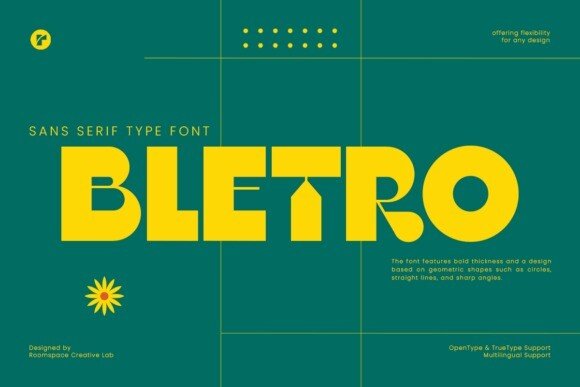
About This Font
Bletro is a captivating sans-serif display font that effortlessly blends vintage charm with modern sophistication, creating a unique visual identity that's equal parts nostalgic and forward-thinking. With its bold geometric shapes, sharp angles, and robust lines, this font exudes a sense of excitement and playfulness, making it perfect for grabbing attention and evoking emotions in your audience. Bletro's confident personality is balanced by a touch of elegance, giving it a wide range of applications in graphic design, branding, and typography. From eye-catching headlines and logos to creative posters and social media campaigns, Bletro's versatility shines through in its ability to adapt to any design project. Its bold style can add a sense of drama and sophistication to your designs, while its modern flair keeps it feeling fresh and contemporary. Whether you're looking to create a bold statement or a subtle nuance, Bletro is the perfect font to help you achieve your design goals.
Bletro is provided in OTF format (1 style), designed by Bakhrudin Ja'far (2024), with 220 glyphs, 219 mapped characters, 65 accented characters. Language coverage includes English, Spanish, Portuguese, Italian, Dutch, Swedish, Finnish, Estonian. OpenType layout features: Fractions, Kerning.