Bolvex
✦ Sans Serif · 1 style 1 Files Free License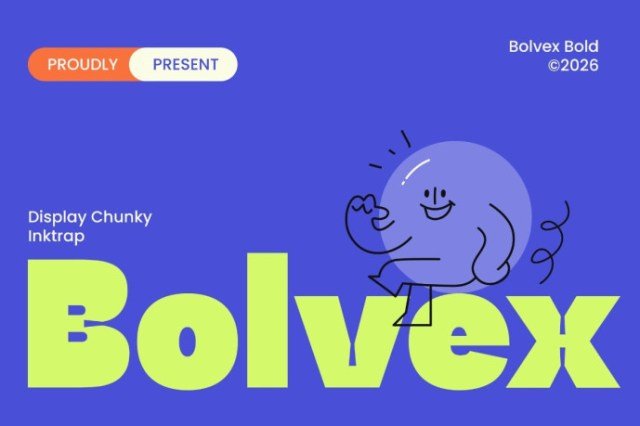
About This Font
Bolvex is an energetic and charismatic display typeface that embodies the perfect blend of modern sans-serif style and classic ink-trap details. Its bold, thick letters and clean curves create a powerful visual impact that's hard to ignore. With a friendly and approachable character, Bolvex injects a much-needed dose of playfulness and energy into any design project. From eye-catching headlines to vibrant social media graphics, Bolvex is the ultimate font for designers who crave a bold and attention-grabbing visual identity. Use it to create a lasting impression on large screens, or to add a touch of whimsy to your packaging and label designs. Whether you're promoting an event, launching a new product, or simply want to make your brand stand out from the crowd, Bolvex is the perfect font to help you achieve your creative goals.
Bolvex is provided in OTF format (1 style), designed by Mhd Husaini (StepType) (2026), with 235 glyphs, 231 mapped characters, 77 accented characters. Language coverage includes English, Spanish, French, German, Portuguese, Italian, Dutch, Swedish, Finnish, Danish, Norwegian, Icelandic, Estonian. OpenType layout features: Fractions, Kerning.