Dacroghibz
✦ Sans Serif · 1 style 1 Files Free License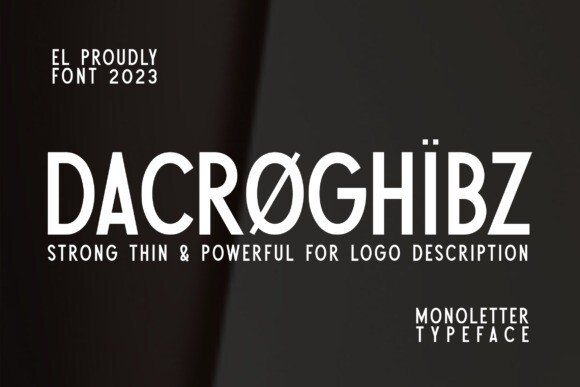
About This Font
Dacroghibz is a sleek and refined sans serif font, exuding an air of contemporary elegance. Its clean lines, minimal ornamentation, and precise proportions create a sense of clarity and poise, perfect for expressing confidence and refinement in your designs. The font's gentle curves and subtle rounded edges add a touch of approachability, making it suitable for a wide range of applications. Whether you're aiming to evoke a sense of high-end sophistication or relaxed modernity, Dacroghibz is an excellent choice. From book covers to magazine layouts, social media posts to invitations, and even product labels, Dacroghibz lends itself effortlessly to various design possibilities. Use it to convey a sense of luxury and exclusivity in fine art or high-end product branding, or to create a more approachable and welcoming atmosphere in educational or lifestyle materials. The font's versatility makes it an excellent addition to your design toolkit, allowing you to express your creative vision with precision and flair.
Dacroghibz is provided in OTF format (1 style), designed by Iskandar Zulkarnain (2023), with 190 glyphs, 189 mapped characters, 67 accented characters. Language coverage includes English, Spanish, French, German, Portuguese, Italian, Dutch, Swedish, Finnish, Danish, Norwegian, Estonian. OpenType layout features: Kerning.