Gloudy Pixel
✦ Serif · 1 style 1 Files Free License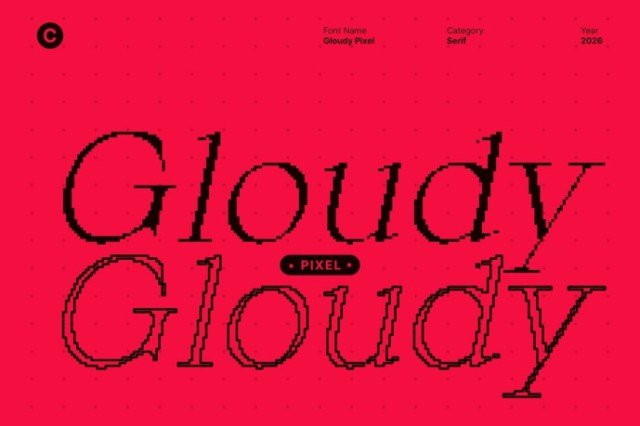
About This Font
Gloudy Pixel is a sophisticated serif font, perfectly balancing classic principles with a bold digital aesthetic to create a truly unique visual experience. This refined font exudes an air of sophistication and clarity, with a subtle contrast that elevates it to new heights of elegance. Its sleek, pixel-based design is both modern and timeless, making it the perfect choice for designers seeking a distinctive edge. Gloudy Pixel effortlessly adapts to a wide range of design needs, from high-end branding and editorial design to corporate documents and digital interfaces. Its versatility and polished appearance make it equally effective for captivating displays and conveying professionalism in formal and informal settings. Whether you're creating a premium logo or a corporate report, this font is sure to make a lasting impression.
Gloudy Pixel is provided in OTF format (1 style), designed by Craft Supply Co (2026), with 234 glyphs, 233 mapped characters, 77 accented characters. Language coverage includes English, Spanish, French, German, Portuguese, Italian, Dutch, Swedish, Finnish, Danish, Norwegian, Icelandic, Estonian. OpenType layout features: Kerning.