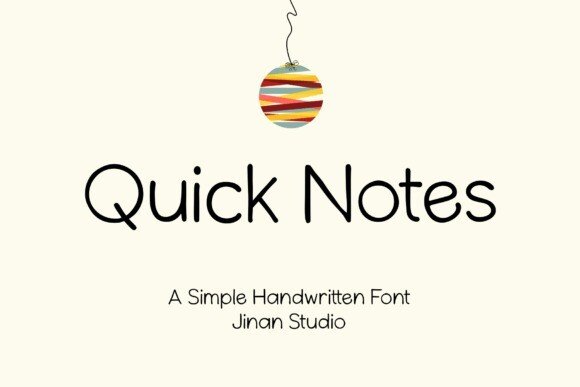
Quick Notes

✦ Display · 1 style 1 Files Free License
Quick Notes — free display font
0px
The quick brown fox
✦ Display Bold & expressive — made to grab attention in headlines

About This Font

Quick Notes Font: A Playful Handwritten Sans-Serif Companion

Quick Notes brings a burst of friendly energy and effortless charm to your typography with its relaxed, handwritten aesthetic. This sans-serif typeface features smooth, rounded characters that flow naturally, mimicking the organic feel of casual ink on paper. The design strikes a perfect balance between legibility and personality, ensuring your message feels approachable and genuine without sacrificing clarity. It is the ideal choice for designers seeking to inject warmth and human connection into their digital and print projects.

Use Quick Notes to create eye-catching social media stories, heartfelt invitations, and personal journal layouts that demand attention. This versatile font shines in branding projects where a casual, authentic voice is essential, such as for local cafés, creative portfolios, or lifestyle blogs. It also works beautifully for large-scale applications like posters and flyers, where its bold yet simple strokes maintain visibility from a distance. Whether you are crafting a quick reminder or a detailed brand identity, Quick Notes adapts seamlessly to fit your vision.

Key Features
Handwritten sans-serif style with a casual, friendly, and modern look
Ideal for social media content, greeting cards, personal branding, and casual packaging
Includes extensive PUA support, stylistic alternates, and contextual ligatures for unique character combinations
Available in OTF and TTF formats, compatible with all major design software

Elevate your everyday writing into a memorable experience with the charming simplicity of Quick Notes.

More Display Fonts

Font Details

Best for

Compare Fonts

Same category only
Playfair Display
Aa Bb Cc
Aa Bb Cc
🎨
Design Area
Customize & export your text on real mockups
✦ EXCLUSIVE
° 100%
✦ Drag text or image to reposition · Alt+scroll to resize text
100%
📄
Mockup image will appear here
Replace with your PNG image
Cutting this on a Cricut? How the SVG export works →

♥ My Favorites