Roadways
✦ Sans Serif · 1 style 1 Files Free License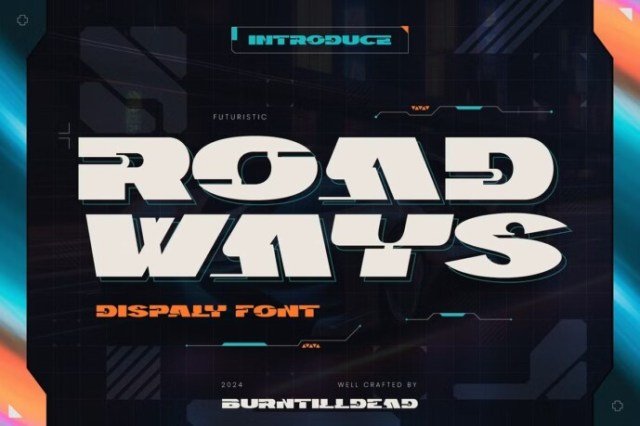
About This Font
Roadways Font is a sleek and modern sans-serif typeface that embodies the essence of a technology-driven era. Its minimalist aesthetic, combined with geometric shapes, creates a sophisticated visual identity that exudes forward-thinking and innovation. With a neutral color palette, Roadways Font seamlessly adapts to a wide range of design applications, from digital interfaces to print materials. Its clean lines and geometric motifs evoke a sense of dynamism, perfect for communicating cutting-edge ideas and concepts. Whether you're designing for a tech startup, a fashion brand, or a high-end publication, Roadways Font offers endless possibilities for creative expression. Its versatility makes it an ideal choice for events, posters, magazine layouts, and digital products. Use Roadways Font to create eye-catching headlines, striking titles, or even entire brand identities that stand out in a crowded digital landscape. With its sleek and modern design, Roadways Font is sure to elevate your projects and leave a lasting impression.
Roadways is provided in OTF format (1 style), designed by Artana x Naya Santika (www.burntilldead.net) (2021), with 121 glyphs, 120 mapped characters, 2 accented characters. Language coverage includes English. OpenType layout features: Kerning.