Thinkshare
✦ Script · 1 style 1 Files Free License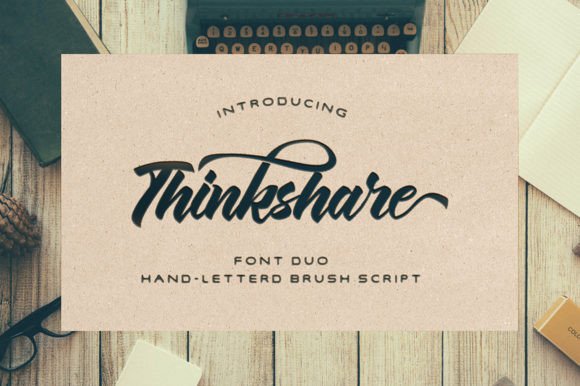
About This Font
Thinkshare is a charming, handcrafted font that embodies the carefree essence of handwritten notes and spontaneous sketches. Its playful letterforms dance across the page, inviting users to explore the beauty of imperfection. As a result, Thinkshare imbues designs with a warm, approachable character and a touch of whimsy. From personal projects to commercial endeavors, Thinkshare lends itself to a wide range of creative applications. Its versatility shines in social media graphics, invitations, greeting cards, and blog posts, where a dash of personality can make all the difference. Additionally, Thinkshare's relaxed vibe makes it an excellent choice for branding and marketing materials that require a friendly, approachable tone.
Thinkshare is a Script typeface distributed in OTF format (1 style), released in 2019, version 001.000, classified as Regular (400), containing 98 total glyphs, 97 mapped Unicode characters, 18 punctuation marks. Character coverage includes uppercase A–Z, lowercase a–z, numerals 0–9. Built-in OpenType layout features: Kerning.
Supported Languages (1): English.
Install the OTF file for desktop apps (Photoshop, Illustrator, Word, Canva Pro, Cricut Design Space) or convert Thinkshare to WOFF, TTF, SVG & @font-face CSS for web projects.