Souther
✦ Script · 1 style 1 Files Free License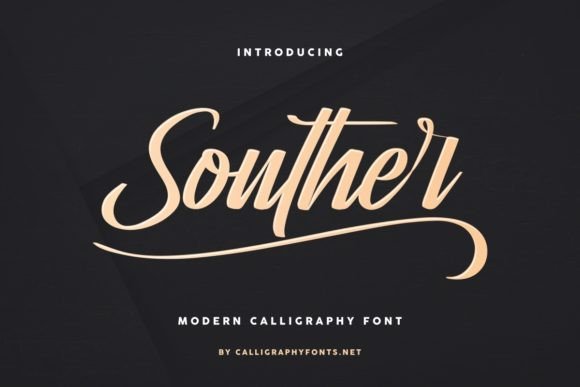
About This Font
Souther is an enchanting handwritten font that masterfully blends vintage calligraphic flair with modern sophistication. Its elegant curves, fluid lines, and subtle texture evoke the warmth and charm of a bygone era, making it a perfect match for projects that crave refinement and poise. This versatile font exudes a sense of refinement, inviting you to unlock its full potential and bring your unique vision to life. Whether you're crafting bespoke invitations, designing a luxurious brand identity, or adding a touch of whimsy to your editorial content, Souther is the perfect companion. Its flowing lines and organic feel make it ideal for watercolor-style illustrations, hand-drawn quotes, or any project where you want to convey a sense of humanity and emotional depth. With Souther, the boundaries between traditional craftsmanship and digital expression blur, giving you the freedom to push the boundaries of creativity.
Souther is provided in TTF format (1 style), designed by Widiyanti & Suci Anita (CalligraphyFonts.net), with 305 glyphs, 307 mapped characters, 125 accented characters. Language coverage includes English, French, Portuguese, Italian, Dutch, Swedish, Finnish, Danish, Norwegian, Icelandic, Polish, Hungarian, Turkish. OpenType layout features: Ligatures, Kerning.